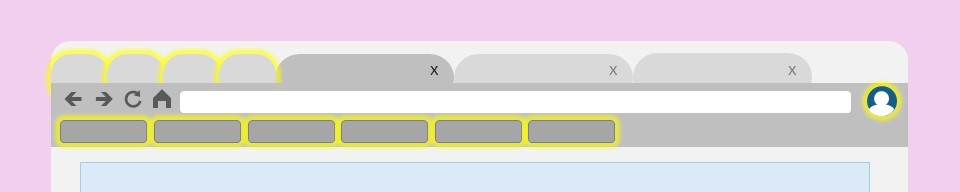
Note: the following screenshots are for Chrome, but the same instructions work for Edge, too.
In the top right hand corner of Chrome or Edge is your avatar. Click it.
If you’re not signed in, sign in now!
If you’re not syncing, “turn on sync”.
Chrome will now remember all of your bookmarks, history and password.
Each time you log into a different computer/laptop/tablet/phone, your Chrome will be there waiting for you.

Take some time to organise all of your often-used bookmarks so that they are there when you need them.
Keep them in folders in your Bookmark Bar, so you don’t have to look too hard to find them.
If there are some that you need all the time, put those in the same folder and then you can right-click the folder and “open all”, for instant access.

Even better, right click and “pin” any tab you use every browser session. They’ll be there waiting whenever you need them, even across different sessions.

